
WinSysAnalyzer
A personal doctor for your PC. Built-in AI finds and explains issues while agent tools fix them – diagnostics, cleaning, optimization and crash analysis in one beautiful interface.
Integrated AI solution
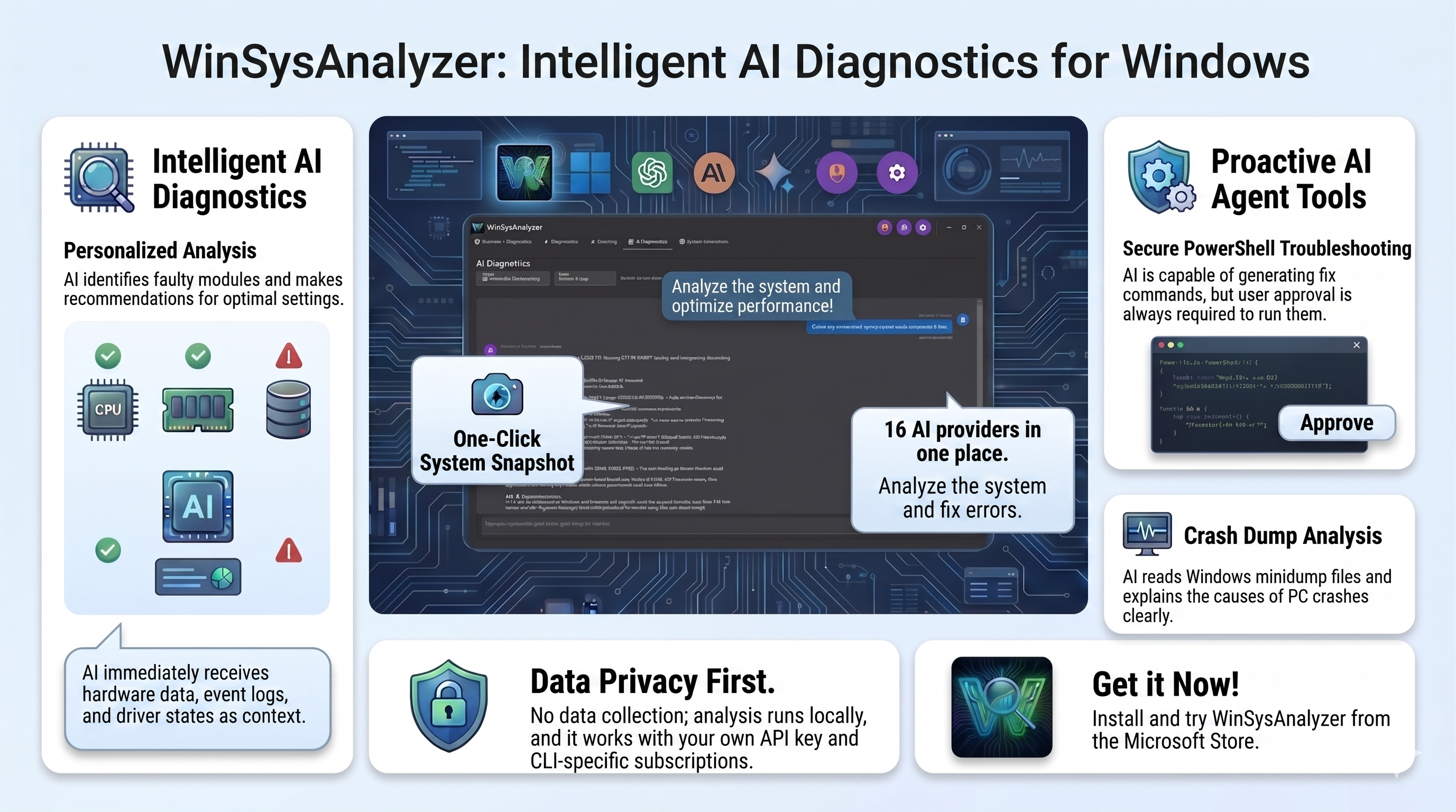
16 AI providers, one-click system snapshot, secure agent tools and crash dump analysis – all local, with your own key.
Features
From artificial intelligence to deep system repair – all in one place, in a modern Material Design interface.
AI Diagnostics
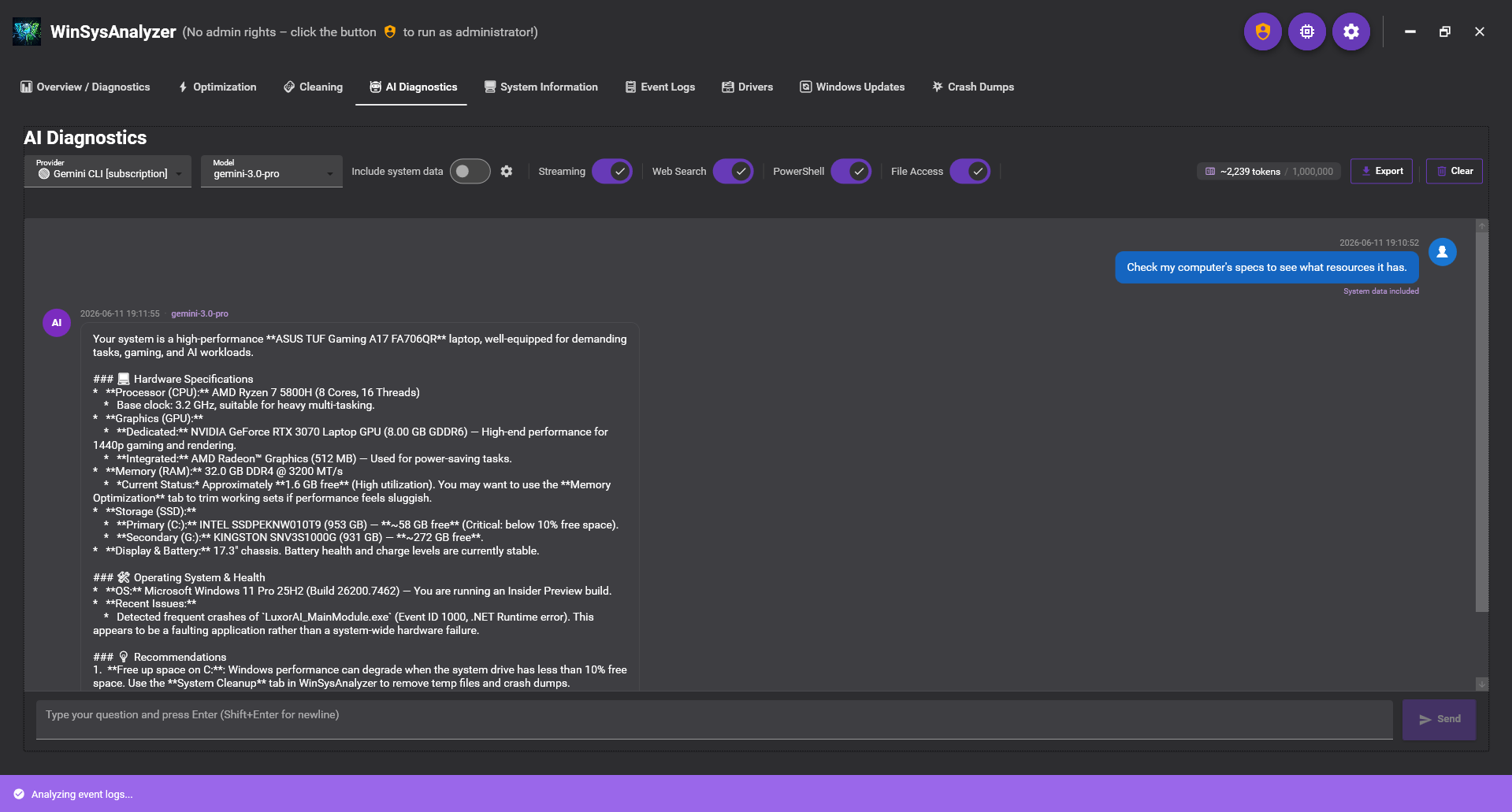
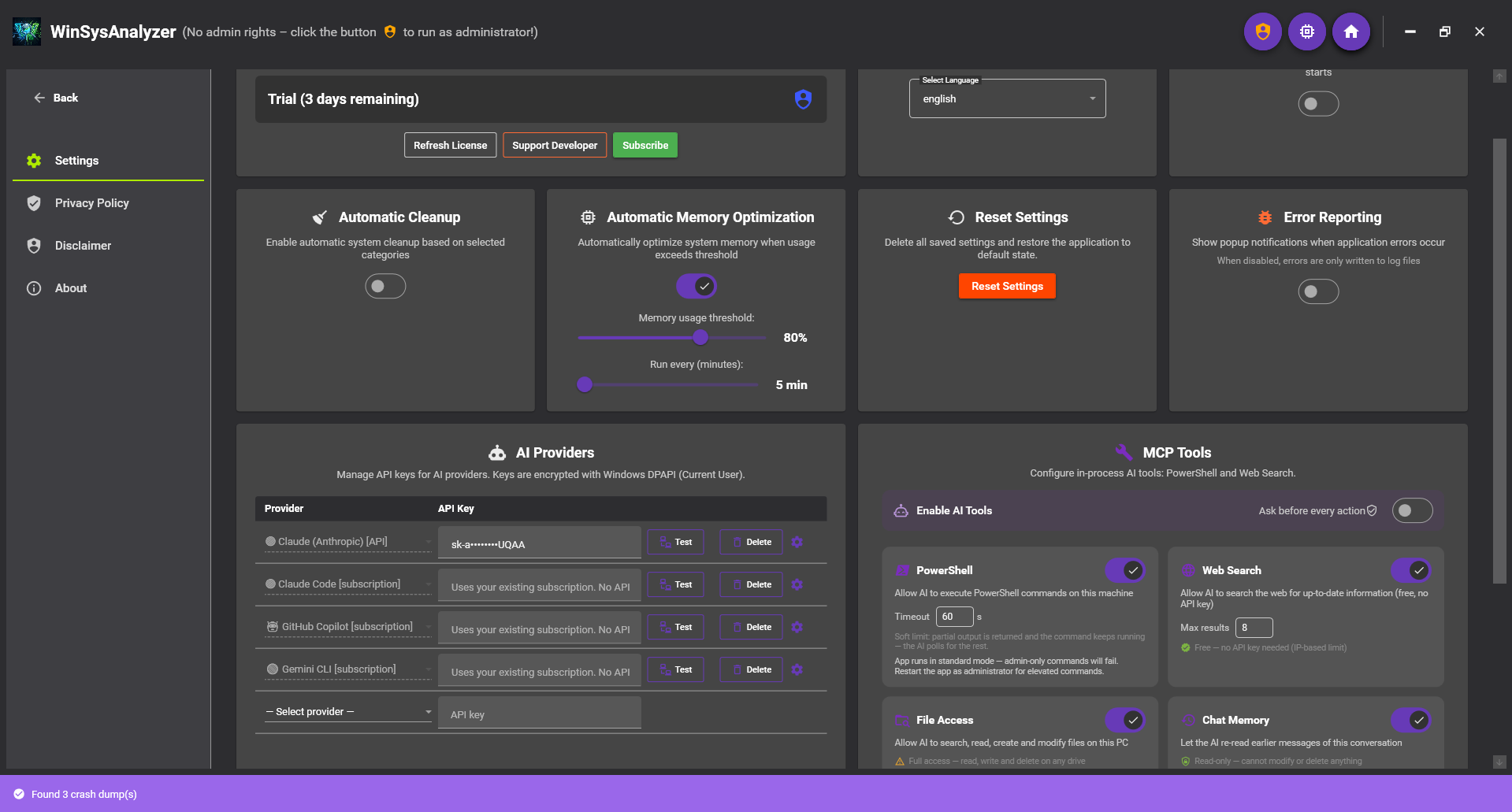
Use your own API key, an existing CLI subscription (Claude Code, GitHub Copilot, Gemini CLI, Codex) – or even for free: most providers offer some free AI tier, for example Grok gives free weekly usage with a Google account. No hidden middleman markup, you only pay for what you actually use. The chat receives your PC's real context: hardware, event logs, drivers, crash dumps.
AI agent tools
Secure PowerShell terminal (always with confirmation) and free web search – the AI doesn't just advise, it acts, with your approval.
Crash dump analysis
A built-in MINIDUMP parser reads the crash cause (exception code, faulting module), and the AI explains it clearly – BSODs are no longer a mystery.
App & package manager
Install or update popular apps directly from the app – Chrome, Firefox, VLC, 7-Zip, Notepad++, Spotify and thousands more packages (via winget/npm), with search and confirmed install/update/remove.
System diagnostics
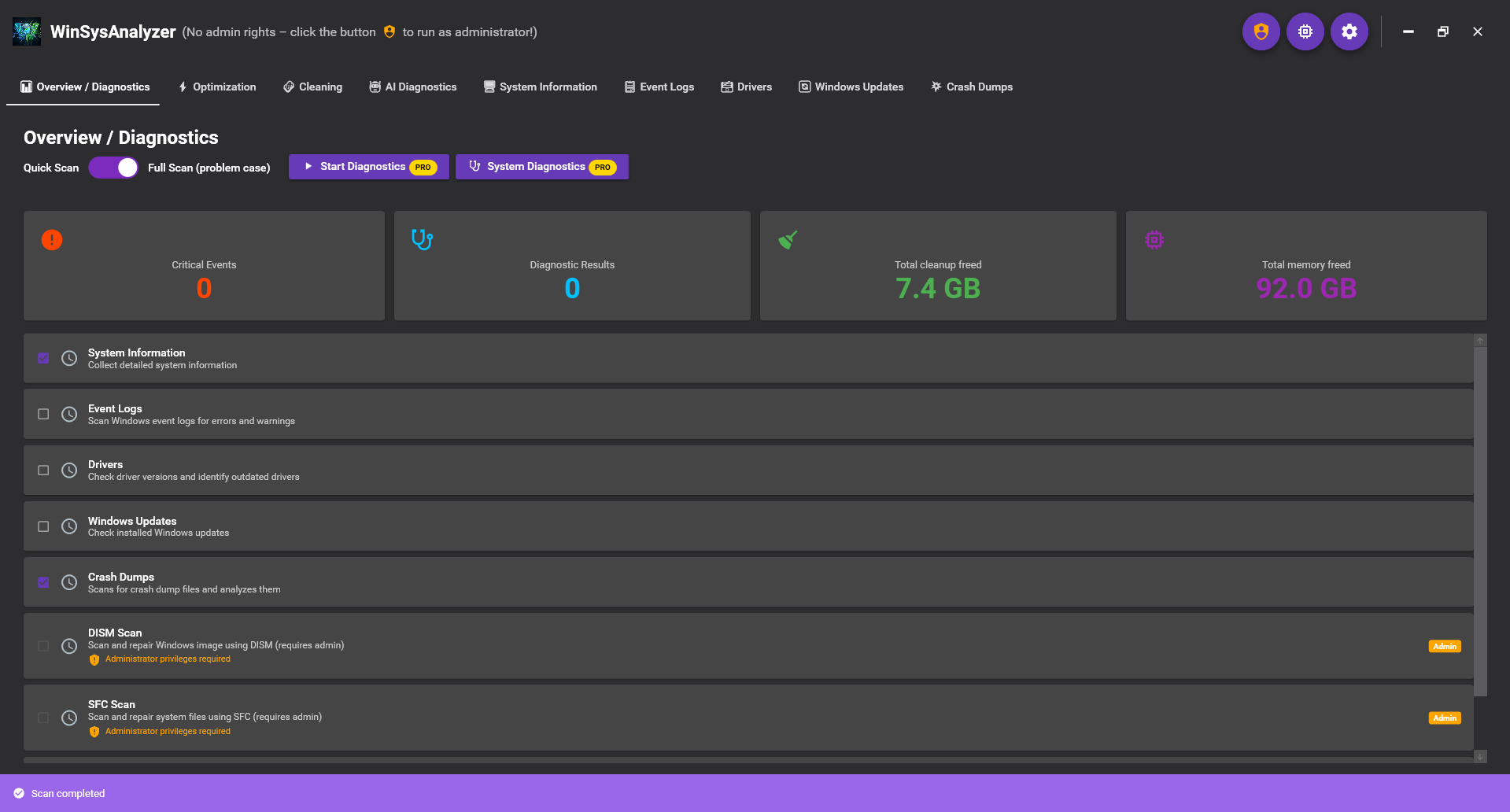
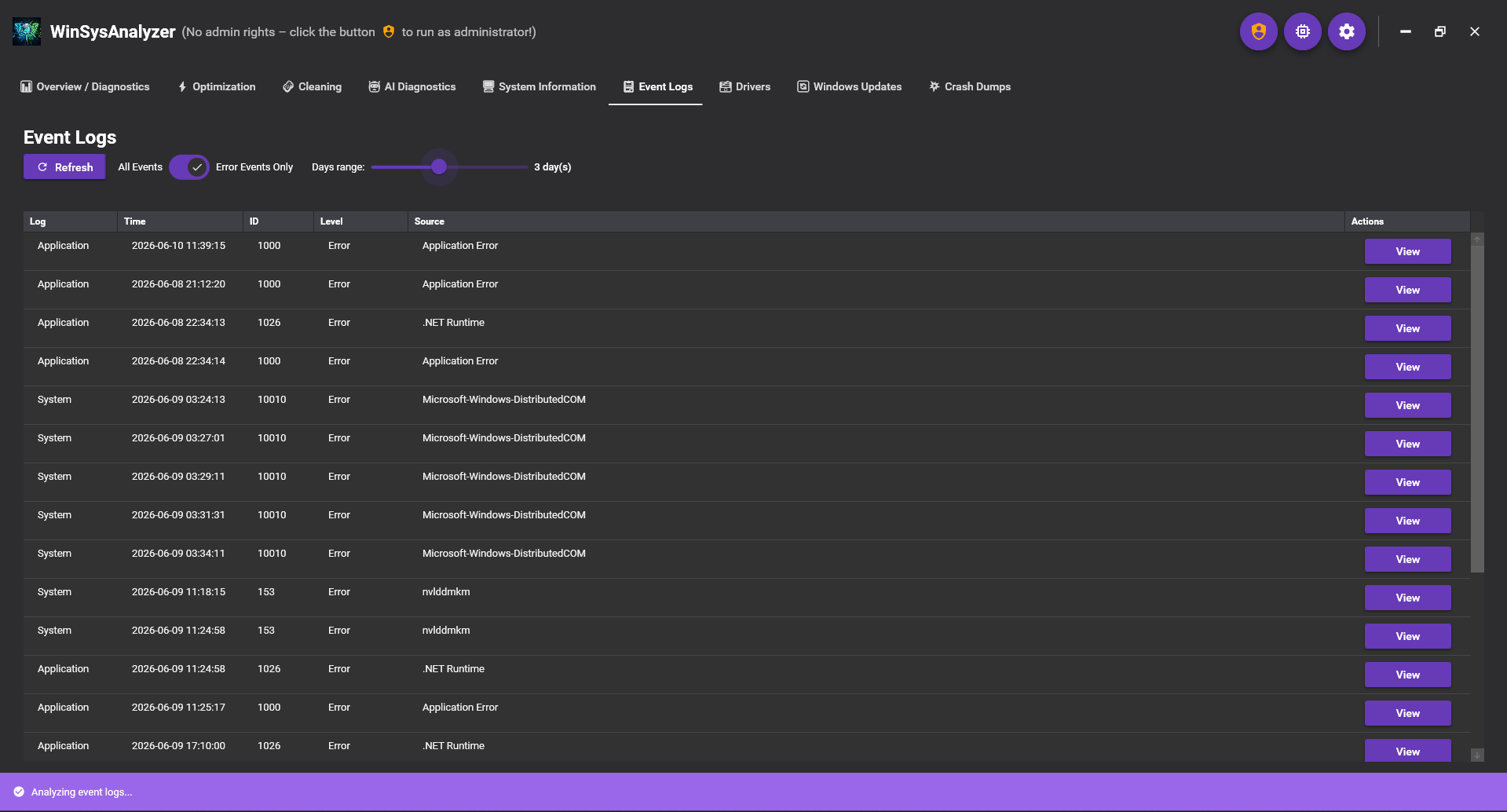
Quick and Full Scan: DISM, SFC, CHKDSK, event log analysis with critical Event IDs and bugcheck causes, cancellable runs. Windows' built-in Perfmon system diagnostics report, with parsed warnings.
Auto Repair
One-click pipeline: restore point → DISM/SFC → cleanup → Windows Update reset → DNS flush → network stack reset. Always starts with a restore point.
Optimization + memory
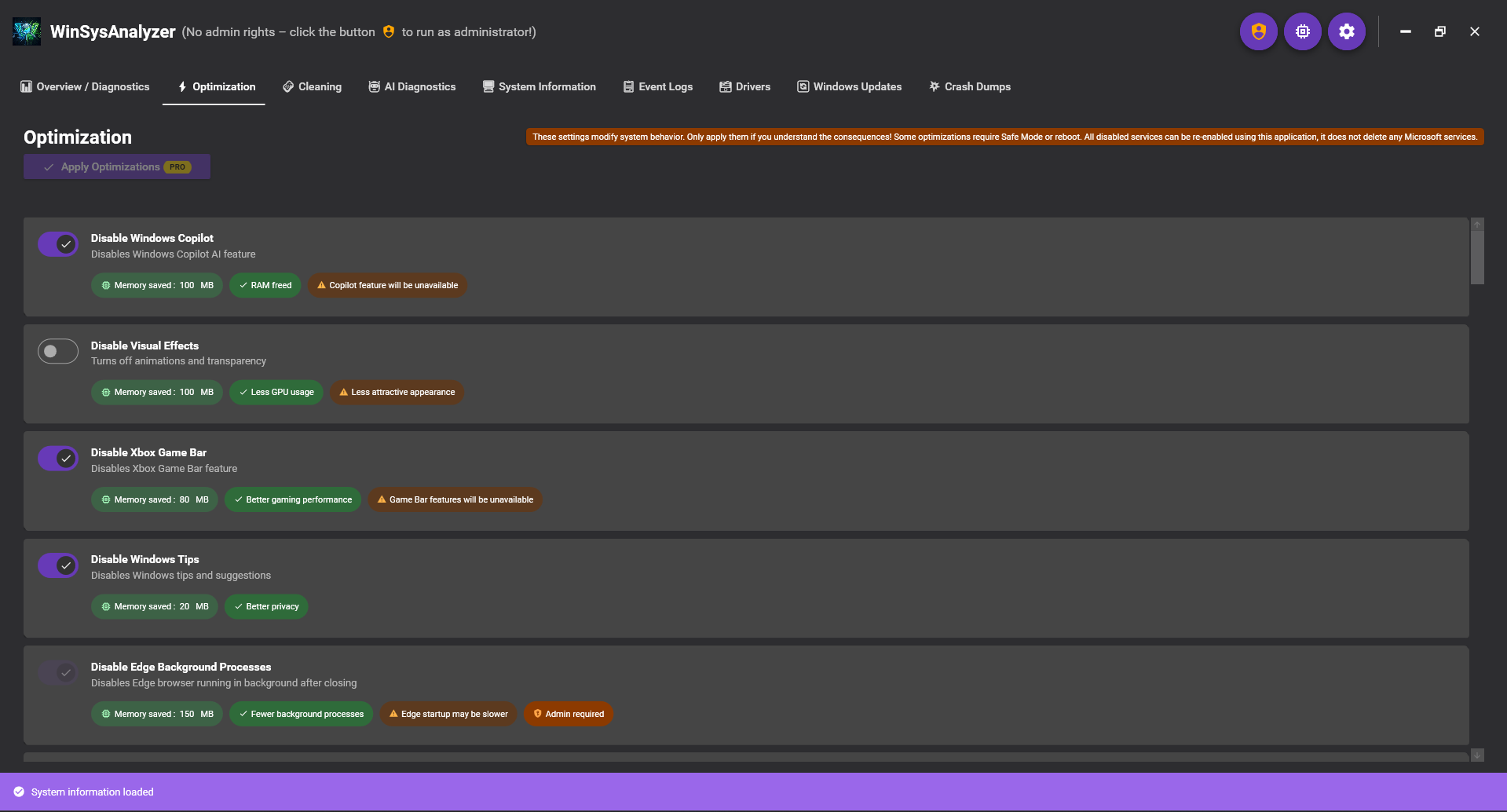
50+ toggleable tweaks (privacy, performance, startup, storage, network) and real-time memory optimization with standby list trimming.
Cleaning
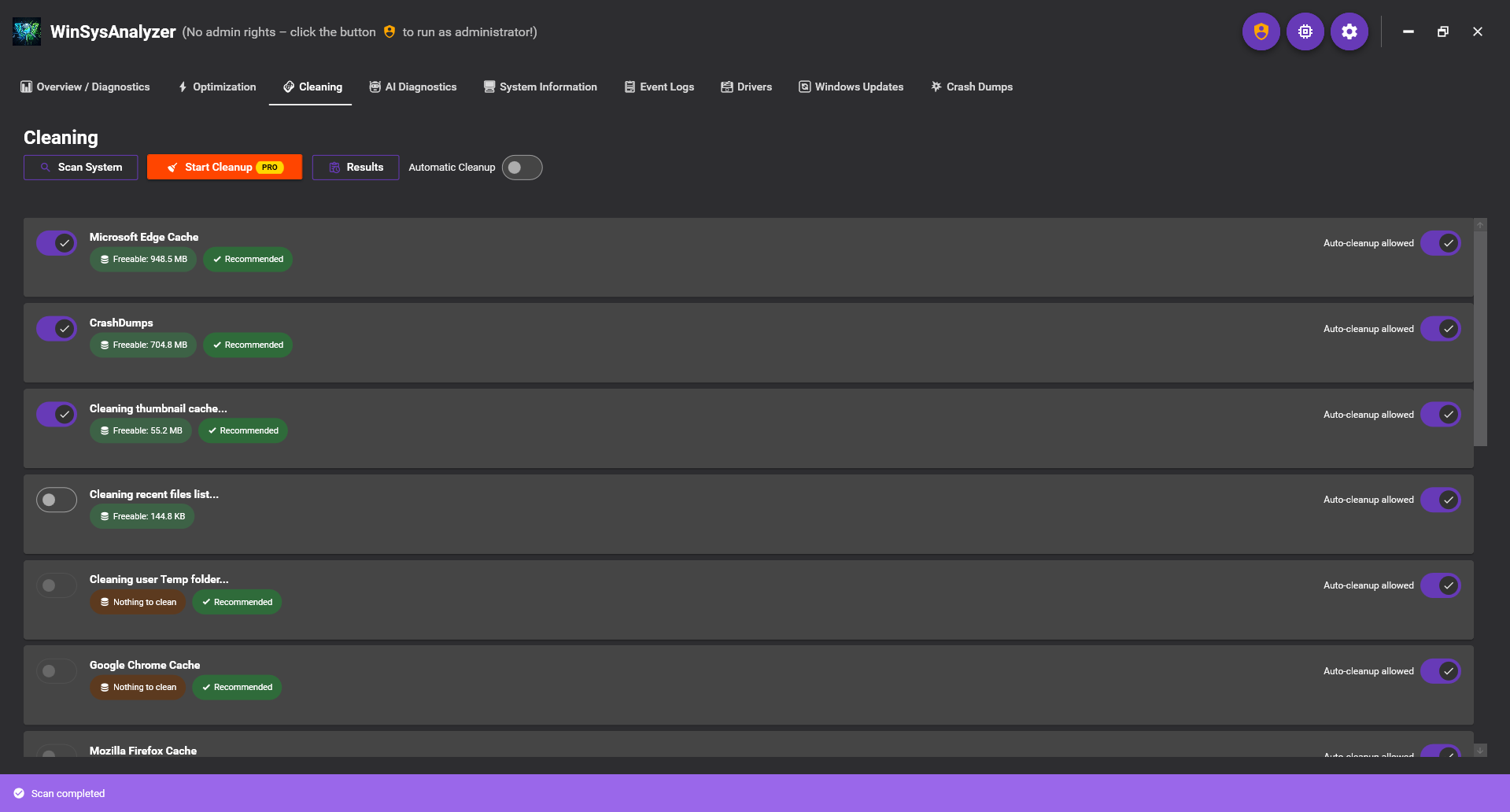
Temporary files, browser caches, crash dumps and system junk – with category breakdown, preview and automatic cleanup.
System info
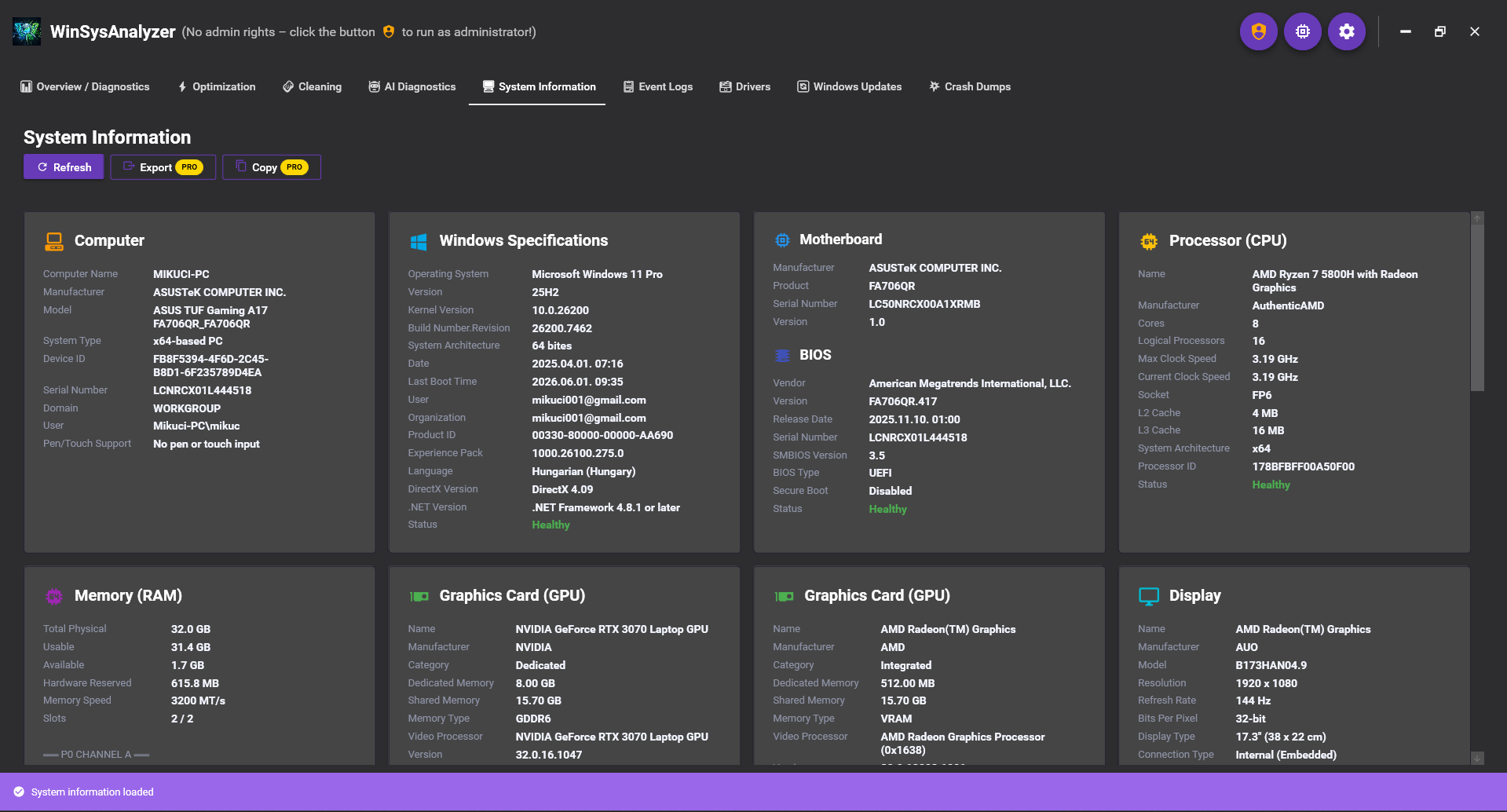
Detailed hardware: CPU, GPU, RAM, storage, network, audio, display. Battery and disk health (SSD/HDD/NVMe), real-time dashboard.
Drivers & updates
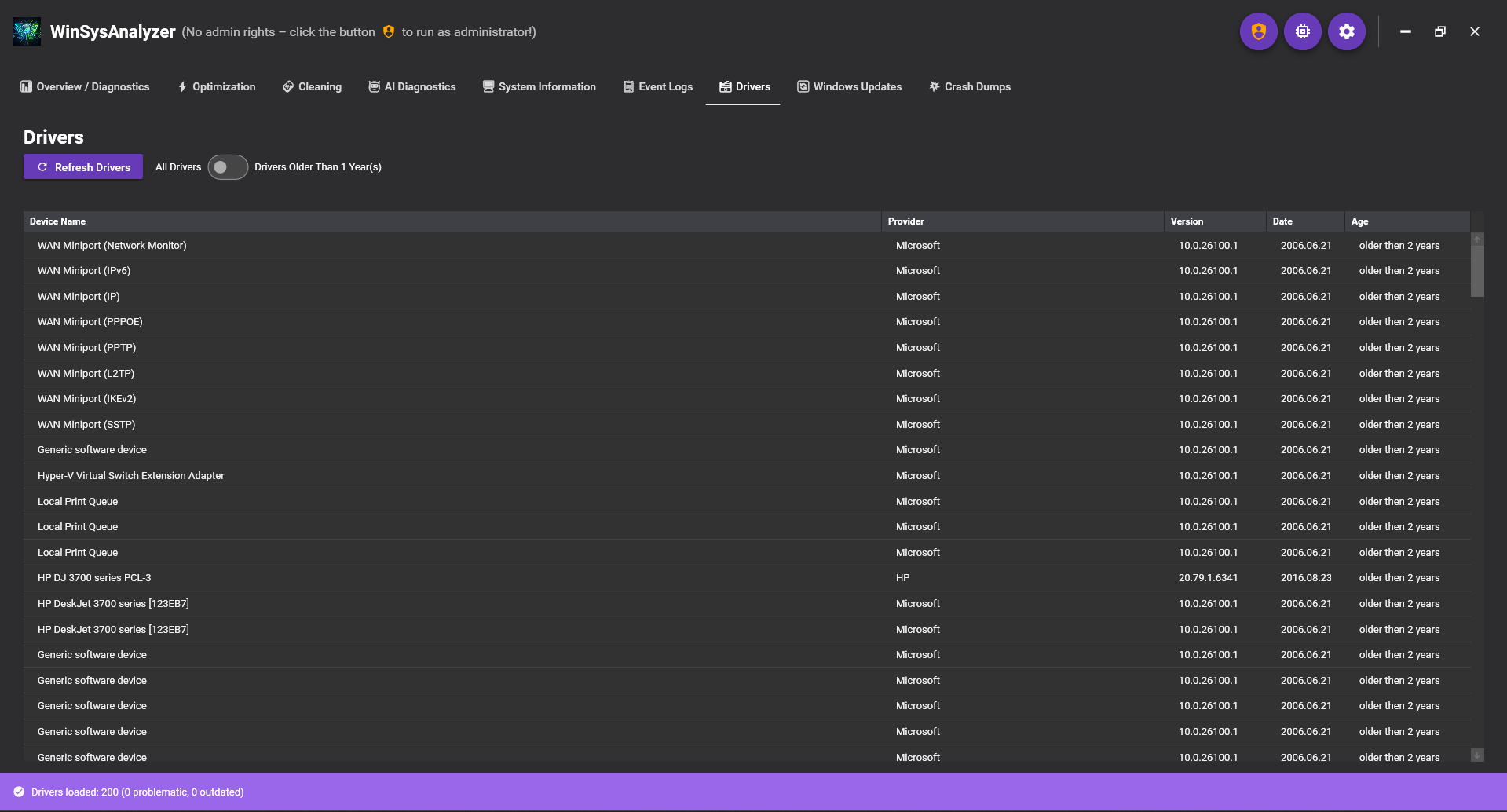
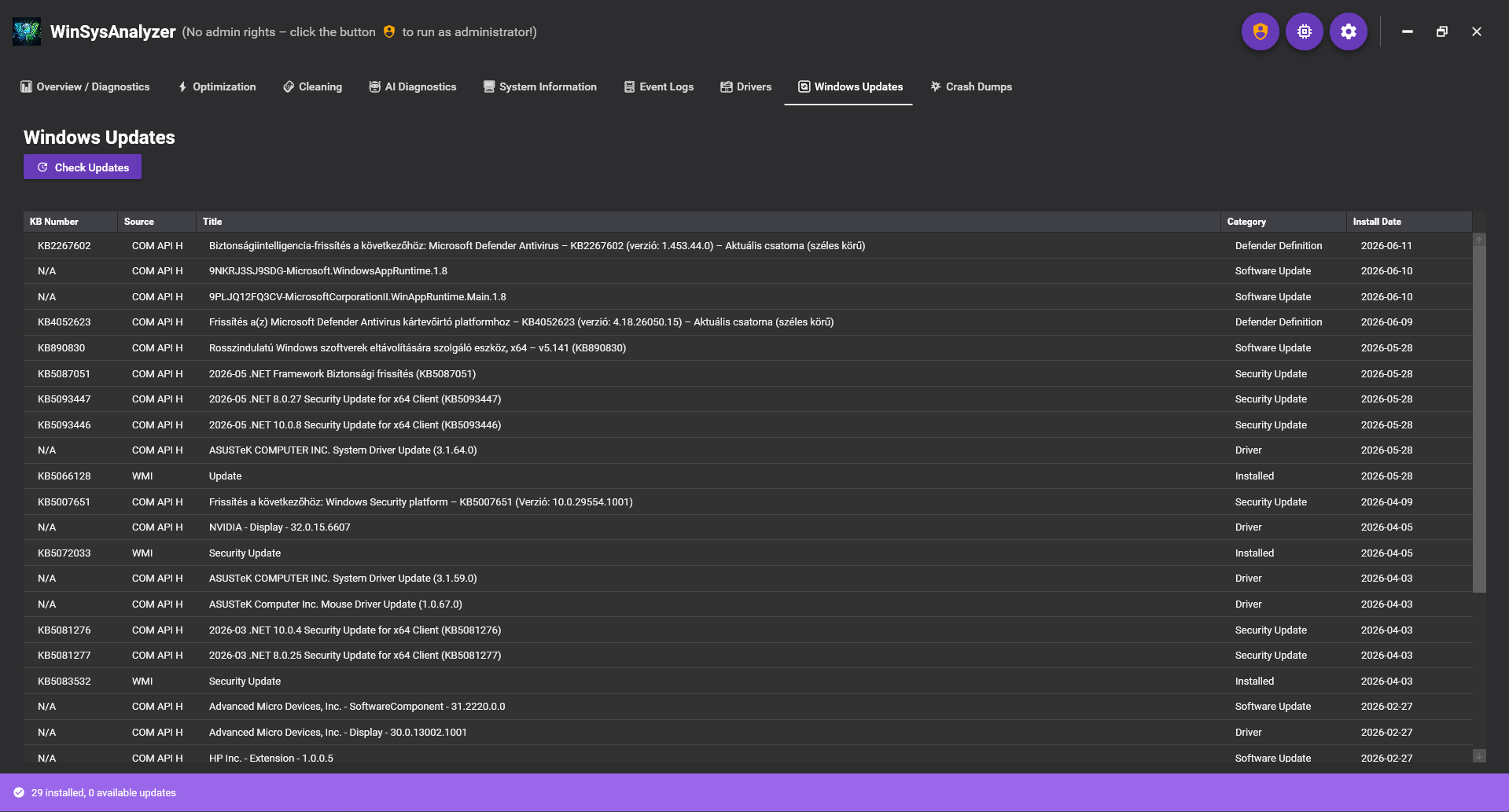
Drivers with age filtering and updates, Windows Update overview tracking problematic KBs, 10-language UI.
When it helps
💥Is your PC crashing?
Solution: the built-in AI analyzes the crash dump and event log, tells you the cause, and Auto Repair restores everything in one click.
🐌Is Windows eating your memory?
Solution: real-time memory optimization frees up RAM, and the optimization recommendations keep it fast for good.
🧊Slow or stuttering?
Solution: cleaning clears out junk files, and the 50+ performance tweaks disable unnecessary background processes.
✓Don't know what's wrong?
Solution: just ask the AI: with your PC's full context (hardware, logs, drivers) it explains the problem and the fix.
Screenshots
A modern, dark Material Design interface – every module in a single window.
Download
Download free – the Free tier already includes full diagnostics and system information – and try the full PRO package for 3 days, no obligation. Windows 10 and Windows 11 supported.